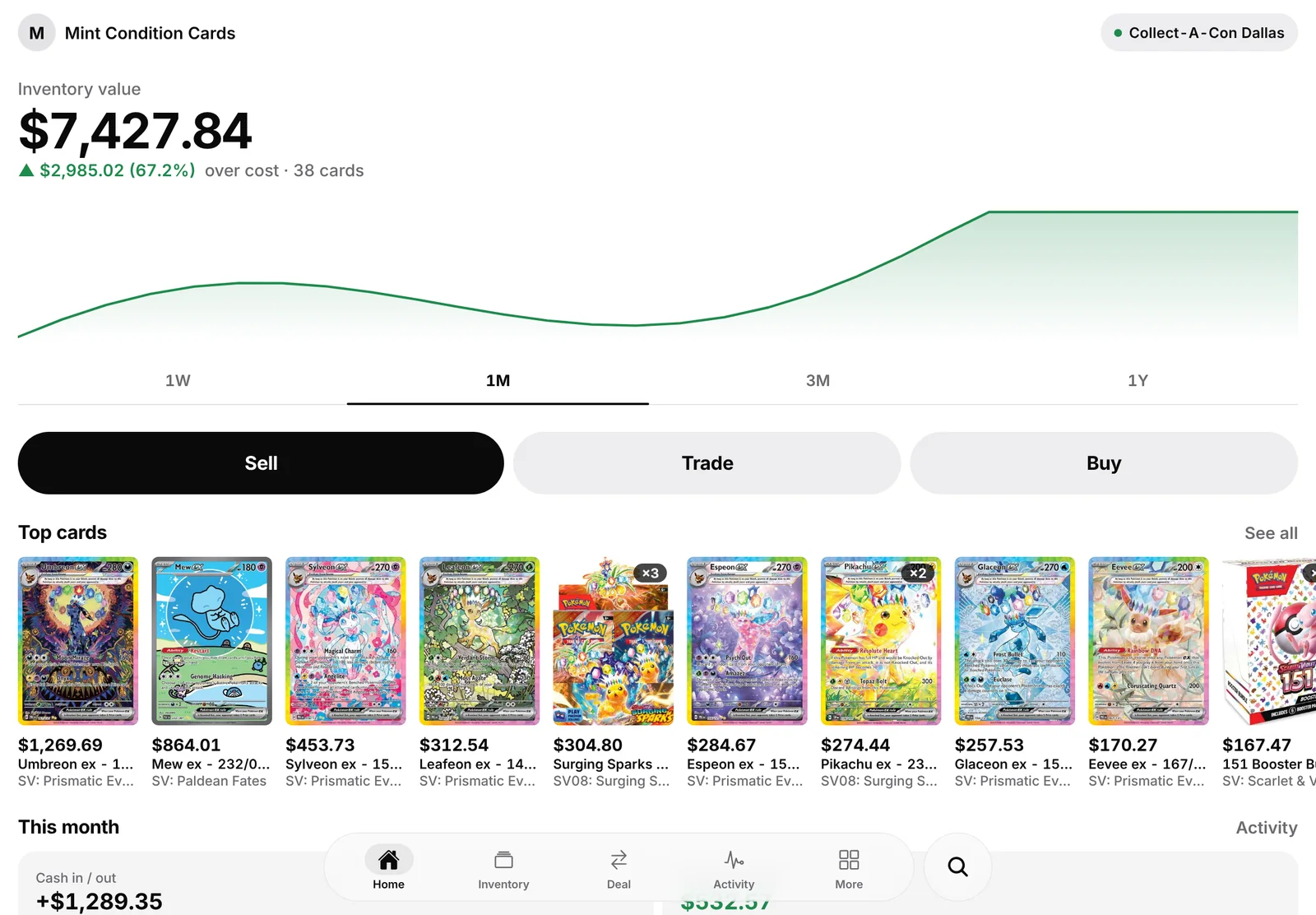
For trading card vendors at shows
Run the table.
Skip the math.
Full Art prices your inventory off the market, works out trades and buy offers in seconds, rings up sales, and keeps the records your accountant asks for. All from your phone.
No app store needed. It installs from your browser on any phone, tablet or computer.
Everything that happens at your table, in one app.
Every screen on this page is the real app. Tap any of these to jump to it.
- 01InventoryEvery single, slab and sealed product with live market prices.
- 02Trade calculatorSet your take-in percentage once and let the screen do the math.
- 03Point of saleRing up singles and sealed in a few taps.
- 04BuyingConsistent buy offers, straight into inventory at cost.
- 05Show resultsKnow what each weekend really made.
- 06Tax-ready recordsEvery transaction logged with cost basis, ready to export.
- 07ImportsBring your stock over from TCGplayer or any spreadsheet.
- 08Kiosk modeA locked tablet display customers can browse.
- 09Offline modeKeep selling with no signal; it syncs when you are back.
01 Inventory
Know what every card is worth, right now.
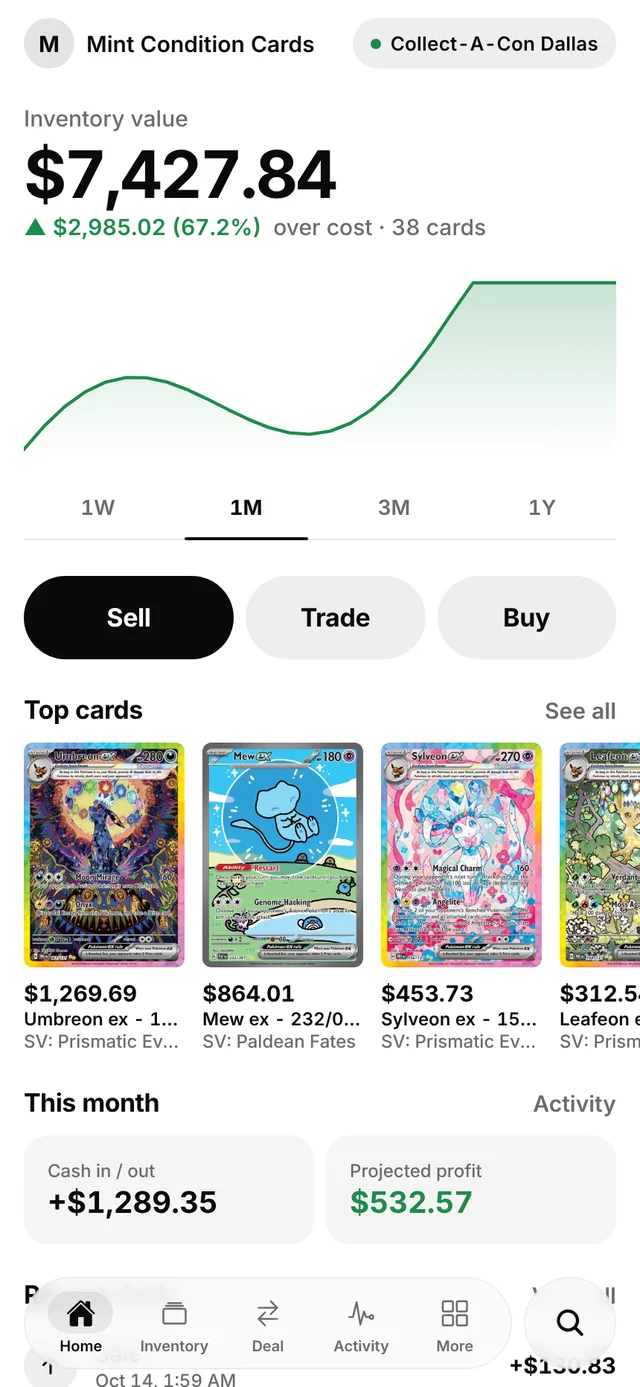
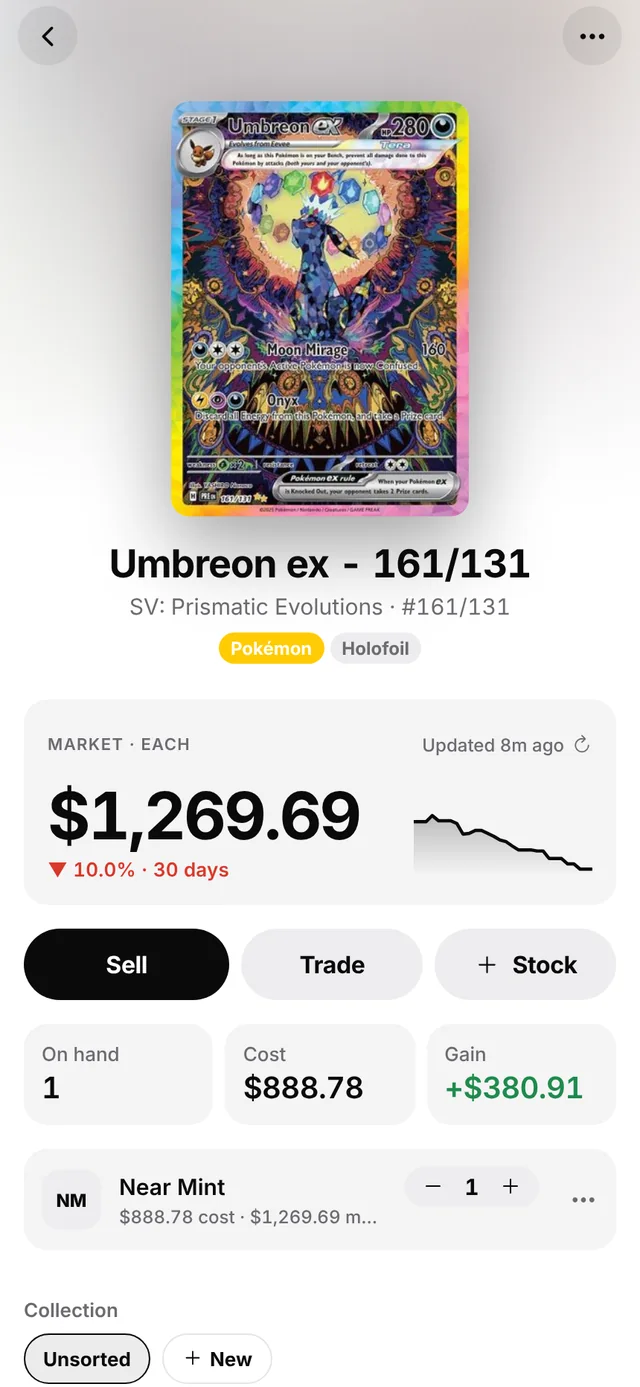
Singles, slabs and sealed in one list, priced off TCGplayer and refreshed on their own. Duplicates stack with a weighted-average cost, so your margins stay honest.
- Condition, printing and grade
- Collections like Showcase or Bulk
- Value and gain over time
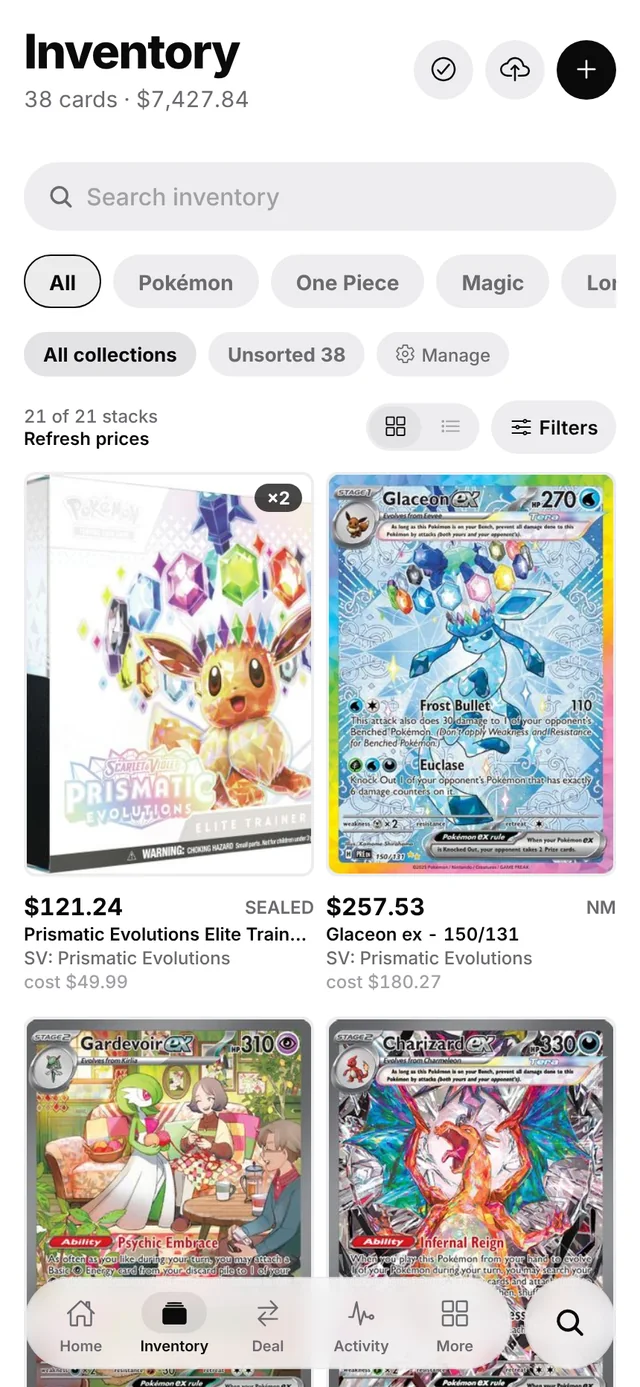
- Search by name, set or number
- Filter by game, set or condition
- Live market price on every card
02 Trade calculator
Trades worked out before they finish asking.
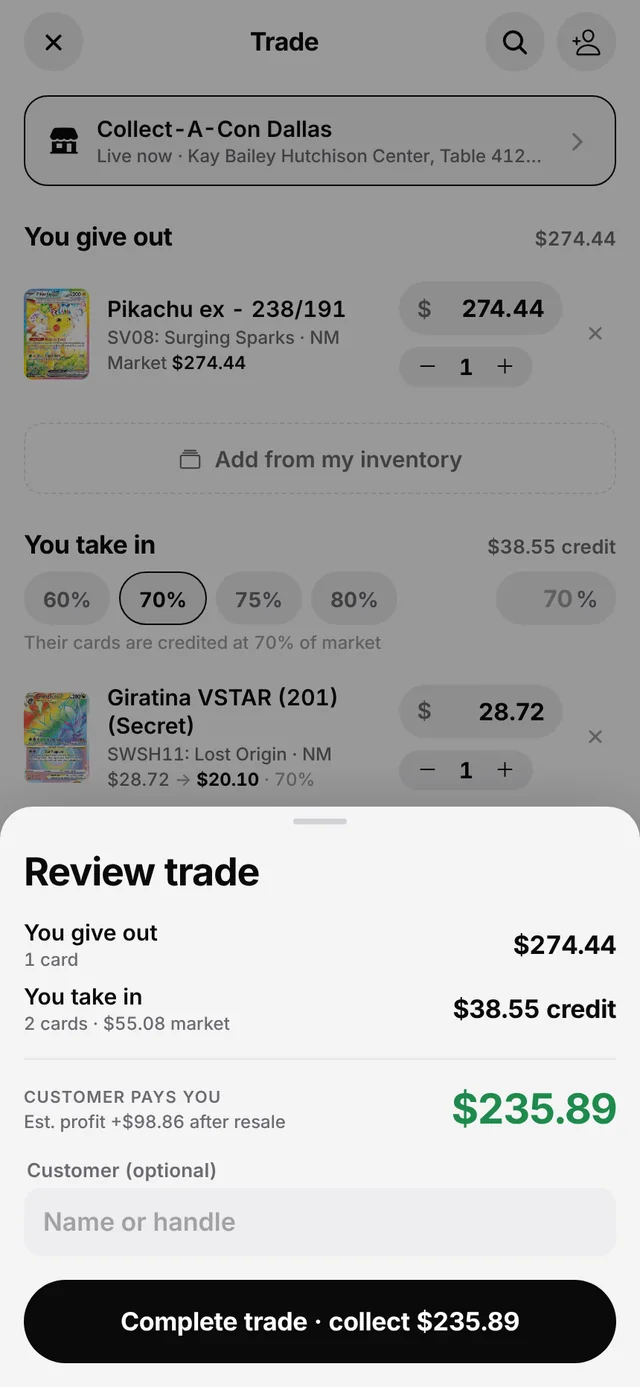
Add your cards and theirs. Their side is credited at your trade-in rate, and the bottom line says in plain words who pays whom.
- Trade-in presets, per-card overrides
- Cash on either side
- Cards taken in arrive at cost
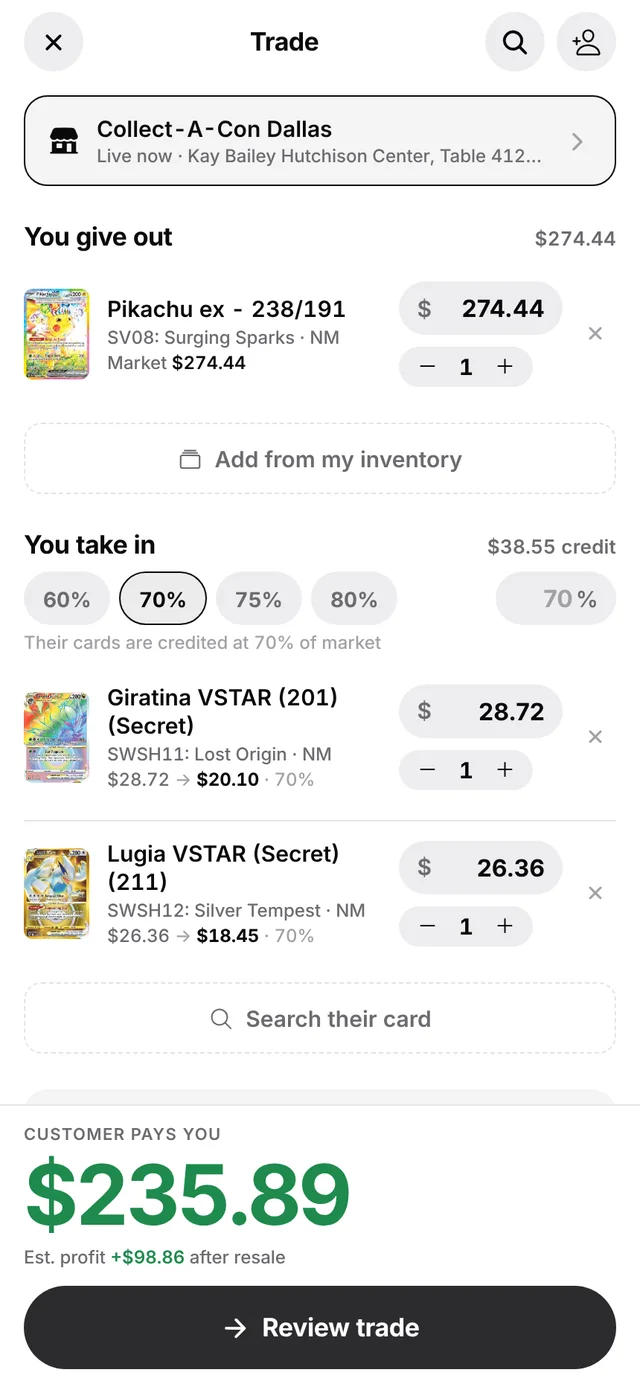
- Your card, at market
- Their cards credited at your rate
- Who pays whom, worked out
03 Point of sale
Ring up a sale in a few taps.
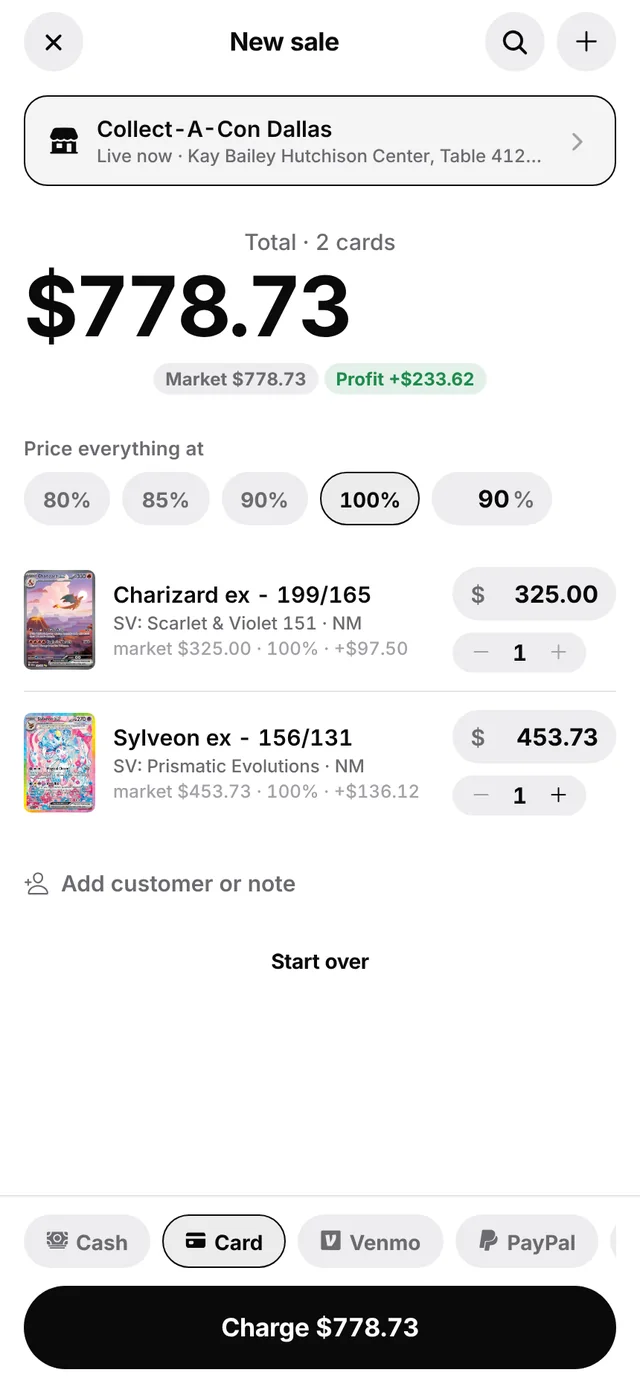
Tap the cards, deal the price on one line or the whole sale, and mark how they paid. Stock drops the moment it is done.
- Cash, card, Venmo, PayPal, Zelle, Cash App
- Receipts by email
- Profit on every sale
- Total and profit, up top
- Price the whole sale at a percent
- Cash, card, Venmo, PayPal and more
04 Buying
Make buy offers you can stand behind.
Set one offer rate for the binder, adjust the cards that deserve it, and see the resale upside before you hand over cash.
- Offer-rate presets
- Per-card offers
- Bought cards land in stock at cost
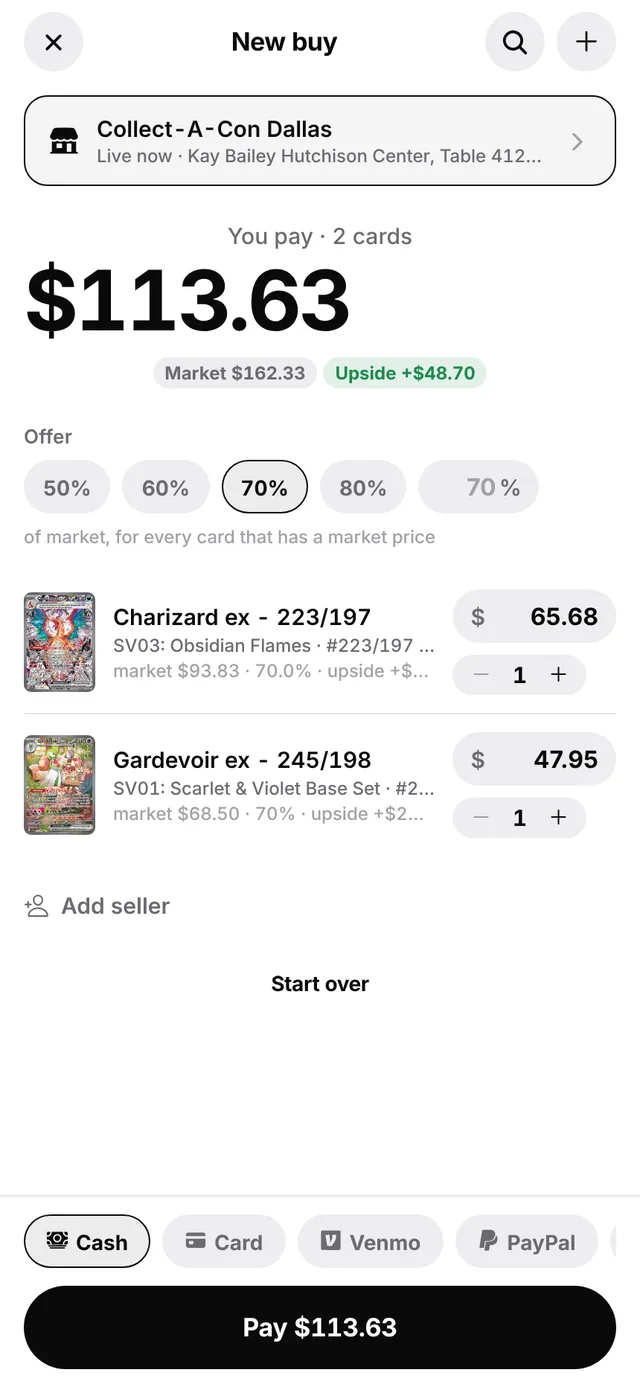
- What you pay, at a glance
- One offer rate for the pile
- Resale upside on each card
05 Show results
Find out which shows are worth the drive.
Start a show when you set up. Every sale, trade and buy is tagged to it, and the table cost comes off the top, so the report tells you what the weekend really made.
- Realized and projected profit
- Table cost and notes per show
- Compare shows over time
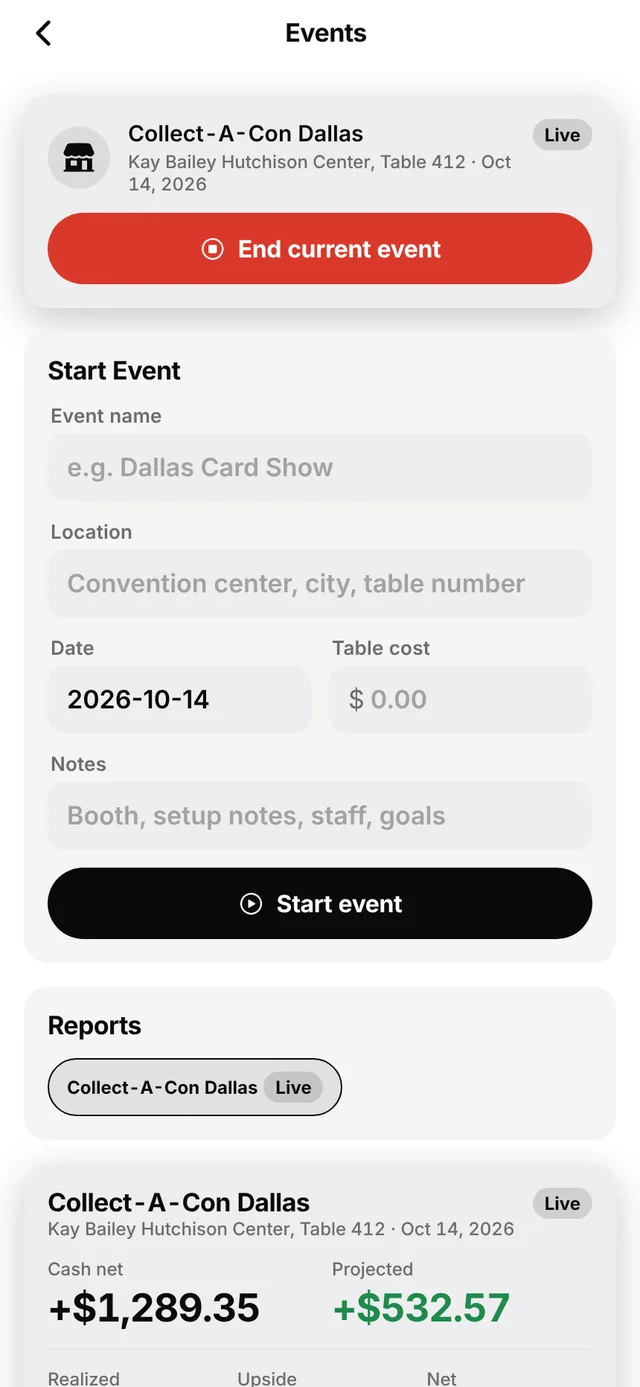
- One live show at a time
- Table cost counts against profit
- A report for every show
06 Tax-ready records
Tax season is an export.
Every sale, trade and buy is logged with its date, cards, price, cost and payment method. Download it as a spreadsheet whenever you like.
- Cost basis on every card
- Payment method on every record
- Export is free on every plan
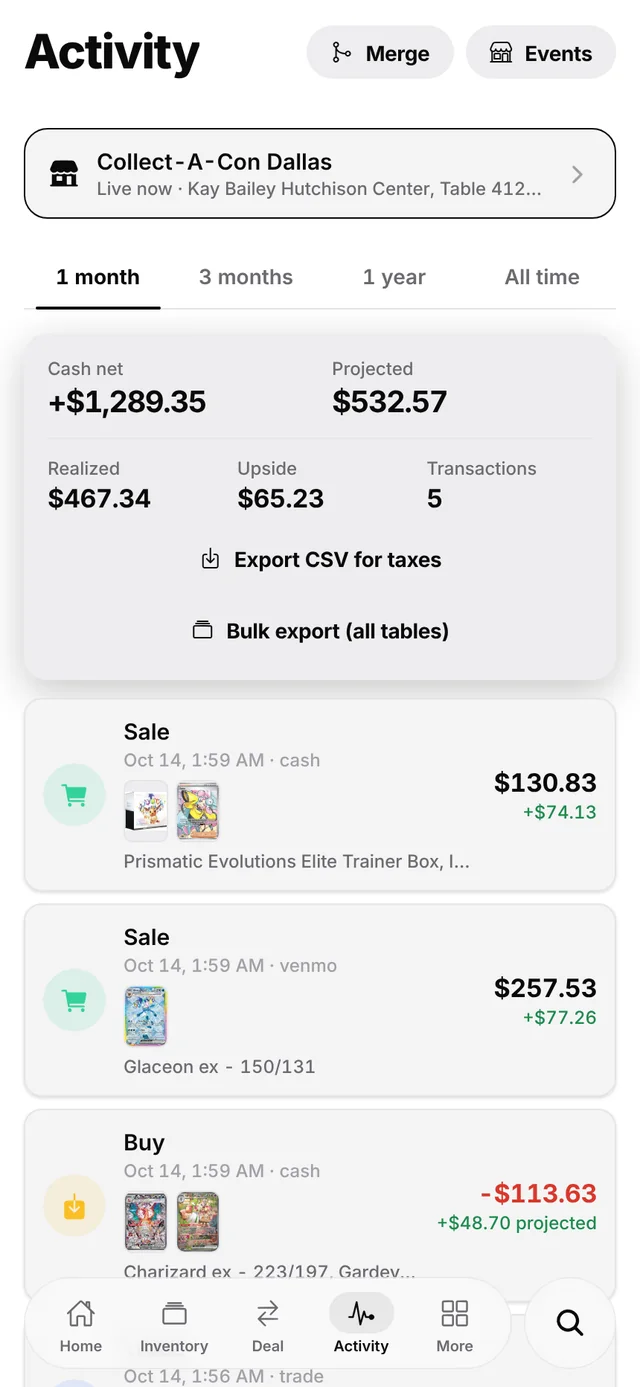
- Cash net and projected profit
- Export CSV for taxes
- Every sale, trade and buy logged
07 Imports
Bring your stock with you.
Upload a TCGplayer export, or a CSV from any spreadsheet. Columns are matched for you, and a row that cannot be matched still comes in.
- TCGplayer exports
- Excel, Google Sheets or any CSV
- Only a card name is required
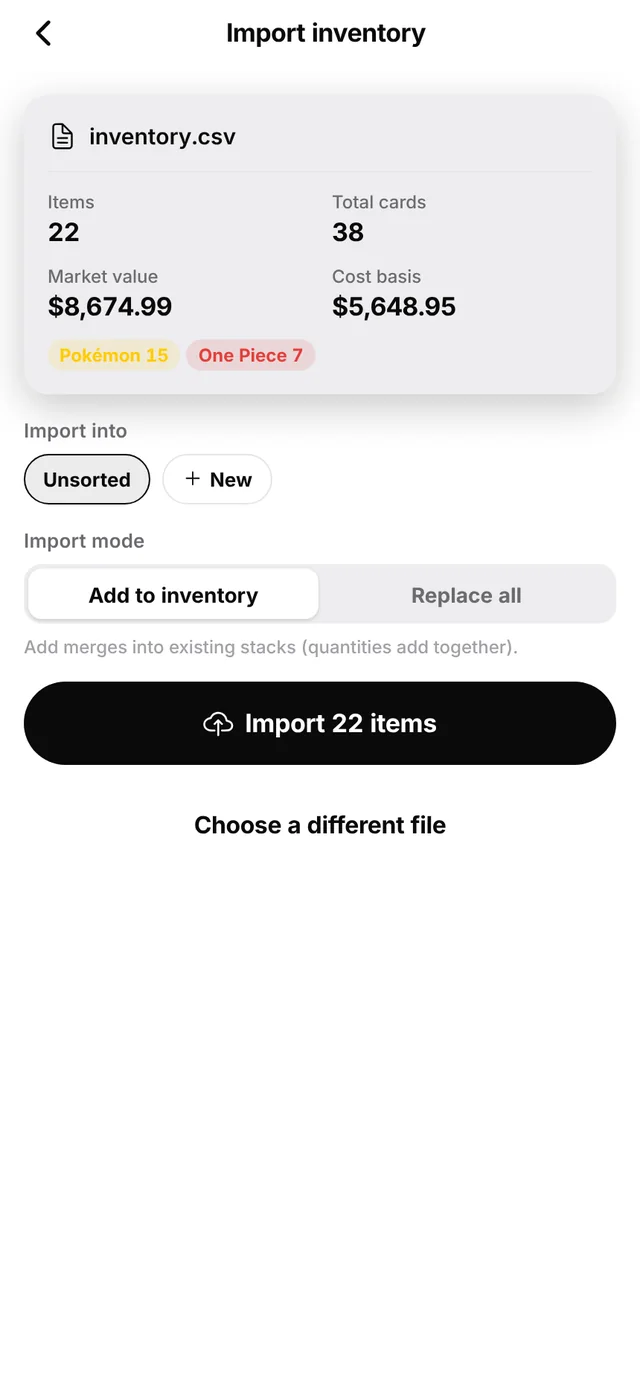
- Totals, value and cost before anything is added
- Cards counted by game
- Add to your stock or replace it
08 Kiosk mode
Hand customers a tablet, not your phone.
Kiosk mode turns a tablet into a locked display of the cards you choose, with live prices. Customers tap what they want onto a list while you work the next deal. A PIN keeps the rest of the app private.
More on kiosk mode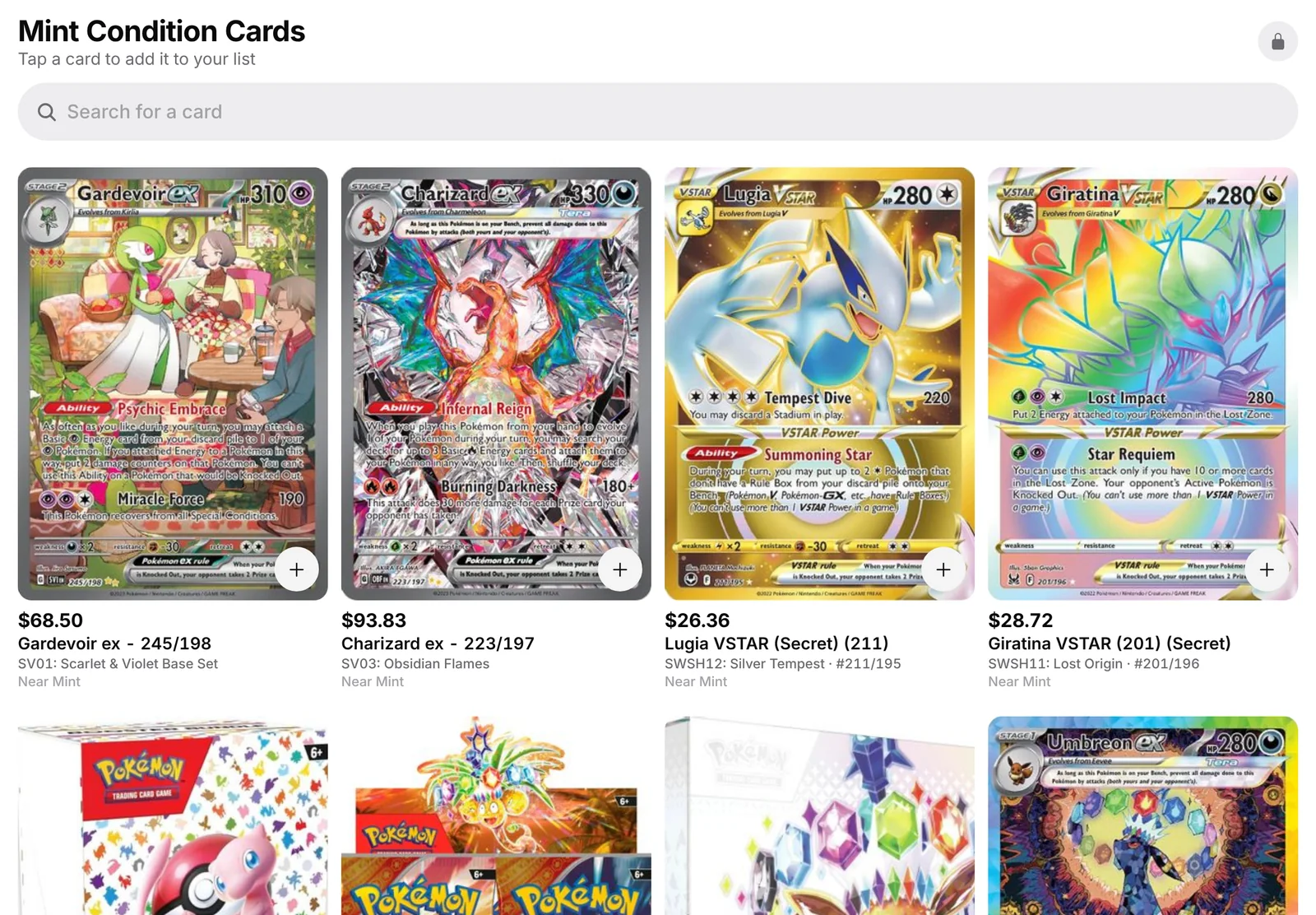
Built for a loud, crowded, no-signal convention hall.
Keeps working with no signal
Sales and trades save on the device when the hall Wi-Fi dies, and sync when you are back.
Read moreShow mode hides your costs
One switch hides what you paid and your profit, so you can turn the screen toward a customer.
Read moreTwo phones, one inventory
Everyone at your table sells from the same live stock, so a card cannot be sold twice.
Read more
Start free. Try Pro free for 14 days.
Track your collection for free, then step up to Vendor at $7 a month or Pro at $20 when you start working shows. Your data stays yours: exporting it is free on every plan, always.